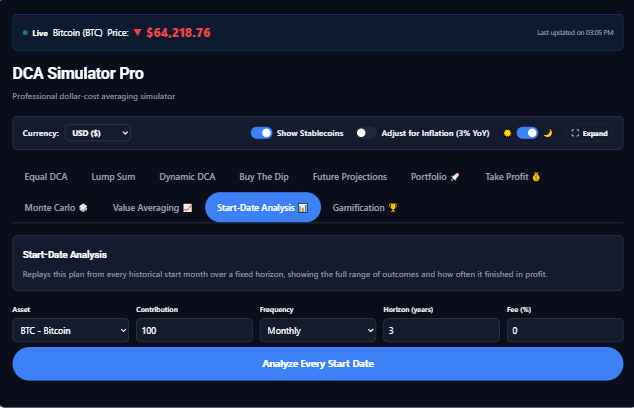
DCA Simulator Pro

Stop guessing whether your DCA plan makes sense. Test it first.

Run your exact dollar-cost-averaging strategy against real historical price data — in under 60 seconds. Then stress-test it with Monte Carlo, true return, and every alternative strategy.

Equal DCADynamic DCABuy the DipLump Sum10-asset portfoliosMonte CarloCrash scenarios
See plans & pricing See features Free to start · no card required
01 — The real question

Most DCA content never answers it.

People online love to say "just DCA." That is not the hard part. The hard part is knowing whether your version of DCA makes sense.

Q · 01 — Cadence

If you had invested $500/month into BTC starting in January 2021, where would you be today?

Q · 02 — Drawdown sizing

If you had bought more aggressively during major drawdowns, would that have improved the result or made the ride worse?

Q · 03 — Portfolio

If you were spreading capital across 5 or 10 assets, would your weighting have held up through 2022?

Q · 04 — Exits

If you plan to scale out as risk rises, what would that have looked like in practice?

Most people debating these questions have never actually tested their plan.

So they do one of two things. They copy someone else's strategy and hope it holds up. Or they wait for the "right time" and never build position at all.

Neither approach is systematic.

02 — Why I built this

The system was fine. The interface wasn't.

For two years I ran my own investing system in a spreadsheet. Signals got buried under columns I didn't need. So I built the tool I wish had existed when I started.

23 Columns in the original spreadsheet — most of them noise.
2yrs Run as a private workflow before the simulator existed.
½ A typical gain given back to a missed risk signal during a busy week.

For two years I ran my own investing system in a 23-column spreadsheet. The system itself was fine — the risk-first framework that underlies everything I teach. What kept failing was the interface.

A position would hit high risk during a busy week. The row would get buried under twenty other fields I didn't need. I'd miss the signal and give back half the gain before I noticed.

The system was fine. The interface wasn't.

DCA Simulator Pro is the tool I wish had existed when I started — the thing that lets a working investor test a real plan against real history without maintaining a fragile spreadsheet or trusting someone else's YouTube backtest.

03 — Introducing

DCA Simulator Pro.

Run your exact investing plan against real market history across crypto, equities, and multi-asset portfolios. Choose the asset, the timeframe, the contribution schedule, the rules, and the position sizing.

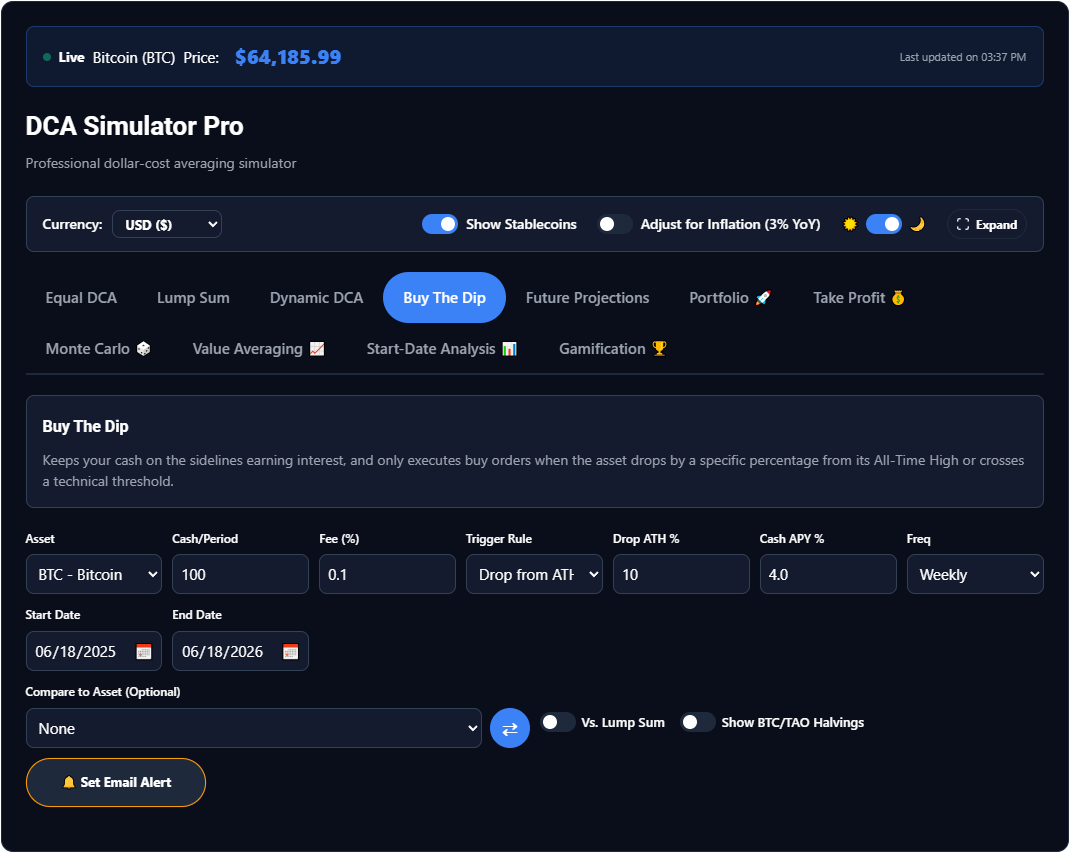
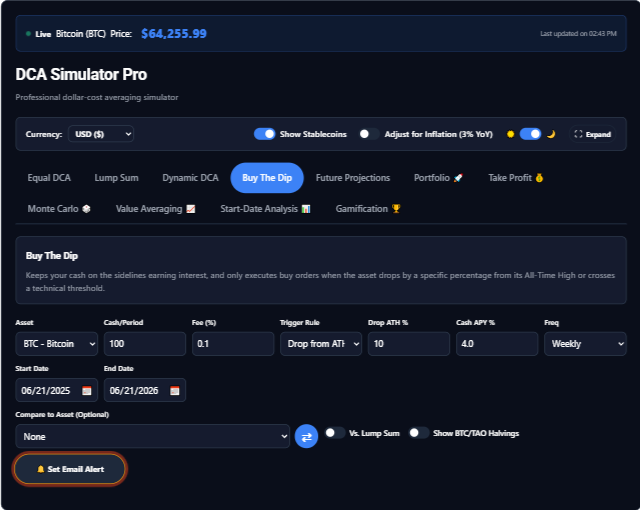
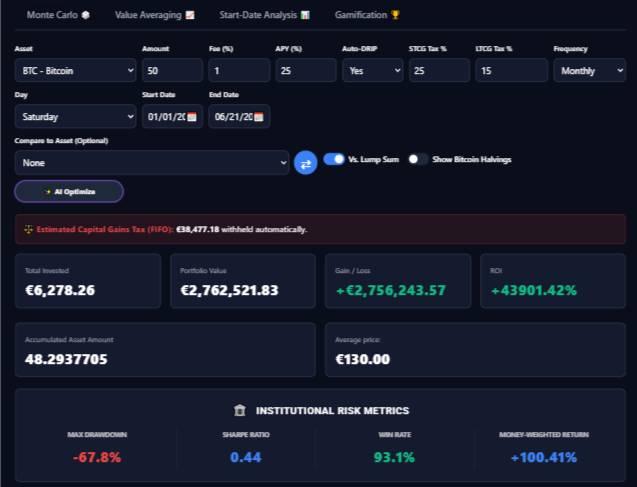
Buy The Dip engine — keeps cash earning yield, executes only when the asset drops from its all-time high or crosses a technical threshold. / Buy-the-Dip · BTC

The simulator shows you what would have happened in dollars, percentages, drawdowns, and portfolio behavior — before you commit capital.

This is not a prediction tool. It is a decision-support tool for investors who want to think clearly, test assumptions, and stop relying on guesswork.

04 — How it works
1

Choose your asset(s), timeframe, and contribution rules.

Crypto, equities, or both. Equal cadence or variable. Whatever your real plan is.

2

Run the simulation and review returns, drawdowns, and behavior in past markets.

The output is what would have happened — in dollars, percentages, and worst-case days.

3

Adjust your plan until the profile matches your risk tolerance and goals.

Iterate until the worst case is one you can actually live through.

05 — What’s inside

More than a calculator — a decision engine.

Eight ways to invest, six ways to analyze, full real-world modeling, and an engagement layer that keeps you coming back. Here’s everything.

Strategies — eight ways to model a plan
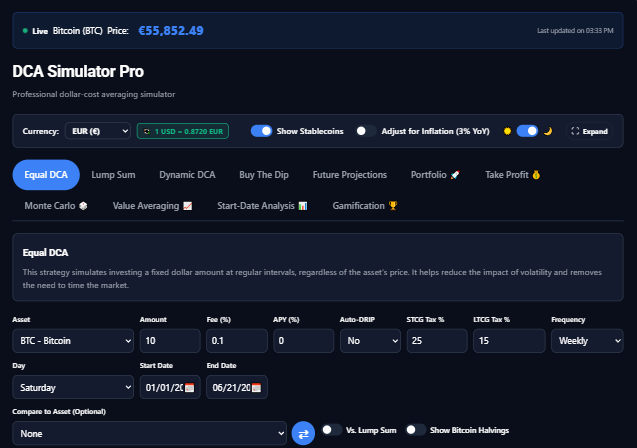
Equal DCA strategy backtest
Free

Equal DCA

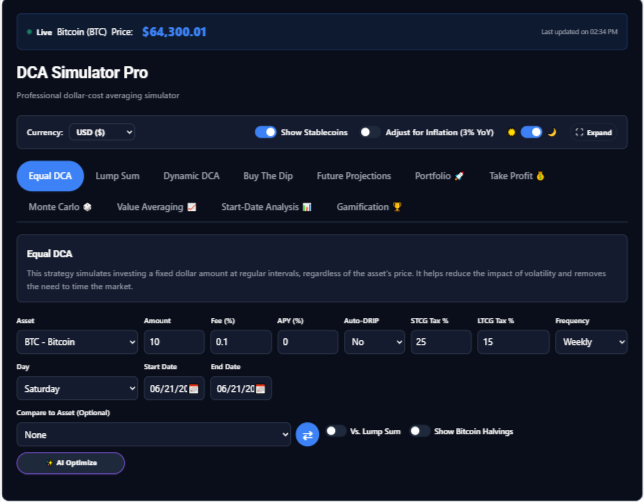
Invest a fixed amount on a schedule and watch cost-basis vs. value over time.

Lump sum vs DCA comparison
Free

Lump sum compare

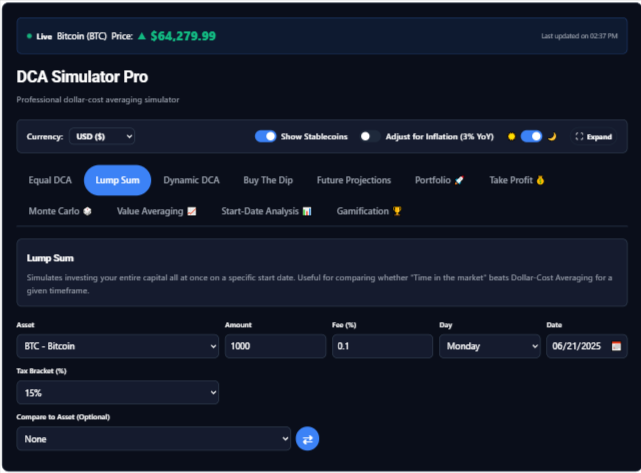
Does “time in the market” beat DCA? Compare side by side for any window.

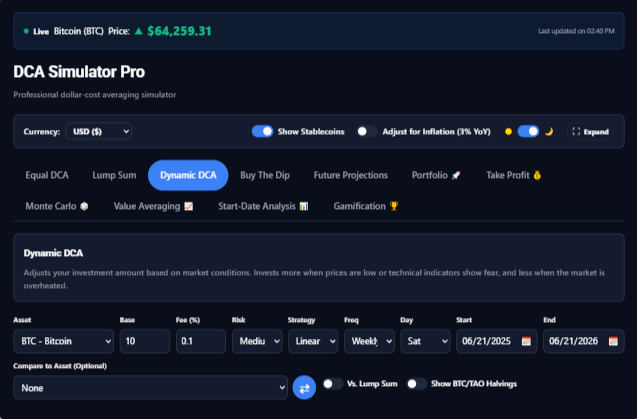
Dynamic DCA risk-based sizing
Pro

Dynamic DCA

Risk-based sizing — buy more when fear is high, less when greed runs hot.

Buy the dip strategy
Pro

Buy the dip

Only deploy on drawdowns past your threshold; park the rest on the sidelines.

Custom multi-asset portfolio
Pro

Custom portfolio

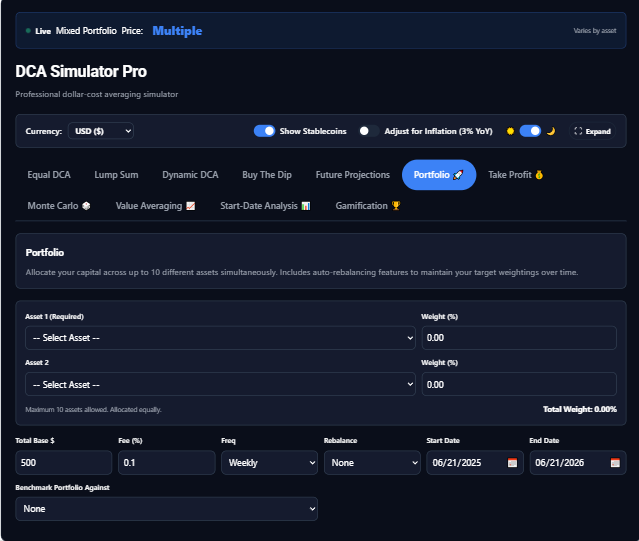
Up to 10 assets with weights and rebalancing — model a whole allocation.

Take profit and exit rules
Pro

Take profit / exit

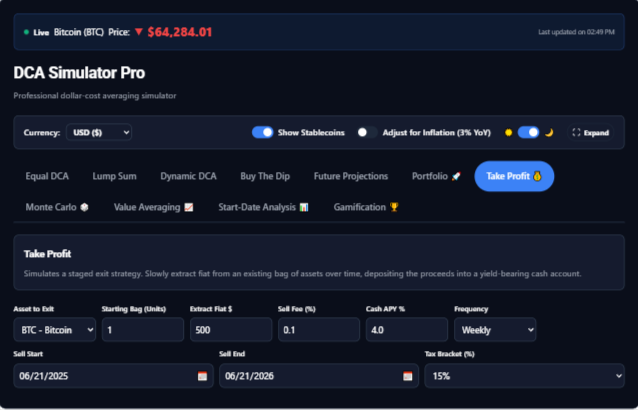
Sell-half rules and scheduled extraction so discipline works on the way up.

Value averaging strategy
Pro

Value averaging

Target a growing portfolio value — buy more after dips, less after rallies.

Long-term future projections
Pro

Future projections

Project a continued plan forward at an expected growth rate over 10–50 years.

Advanced analytics — stress-test from every angle
Monte Carlo simulation
Pro

Monte Carlo

Hundreds of simulated futures — median, range, and odds of beating contributions.

True return (XIRR)
Pro

True return (XIRR)

Money-weighted return that accounts for the timing & size of every contribution.

Best/worst start-date analysis
Pro

Best/worst start date

Replays your plan from every historical month — how often did DCA still win?

Institutional risk metrics
Pro

Institutional risk metrics

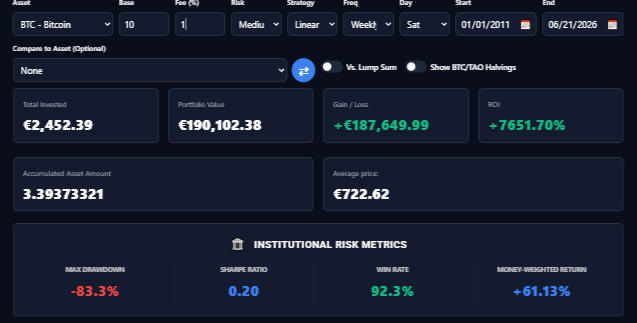
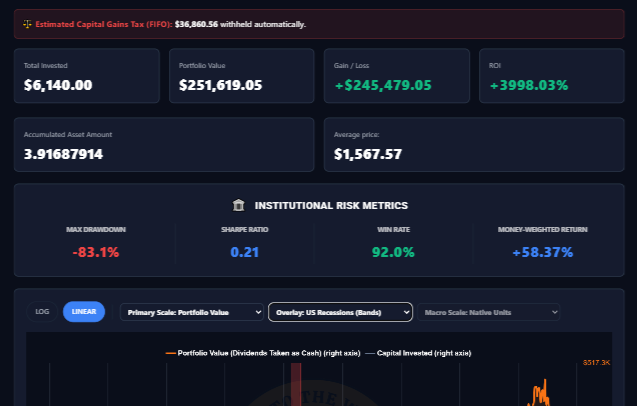
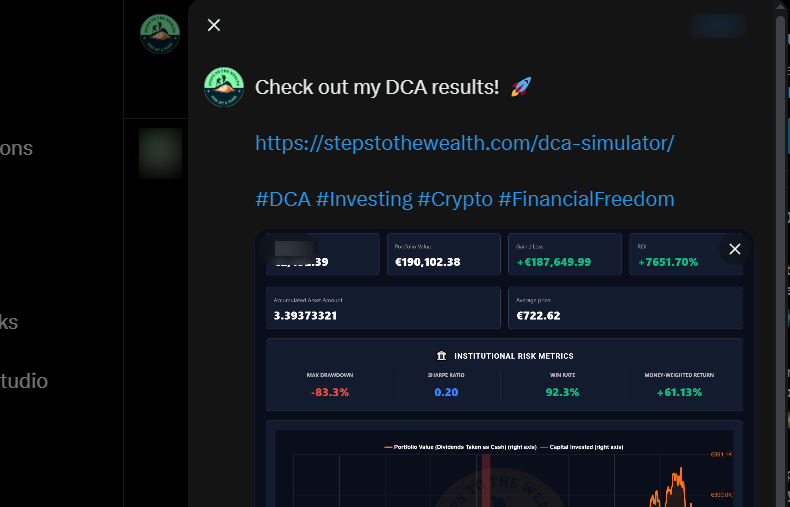
Sharpe, volatility, max drawdown, win-rate — the numbers pros actually use.

Monthly return heatmap
Pro

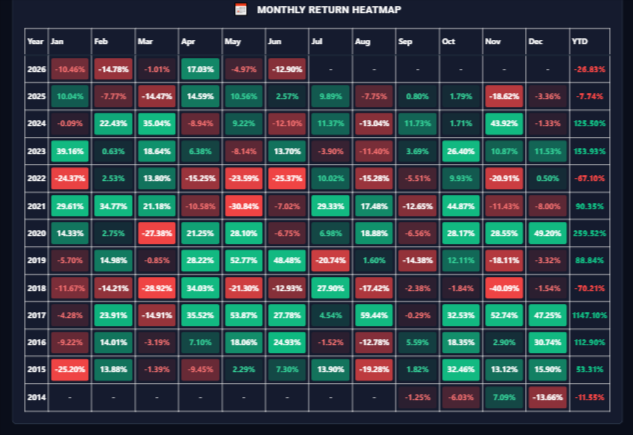
Monthly return heatmap

See seasonality and the best/worst months at a glance.

Best day to buy
Pro

Best day to buy

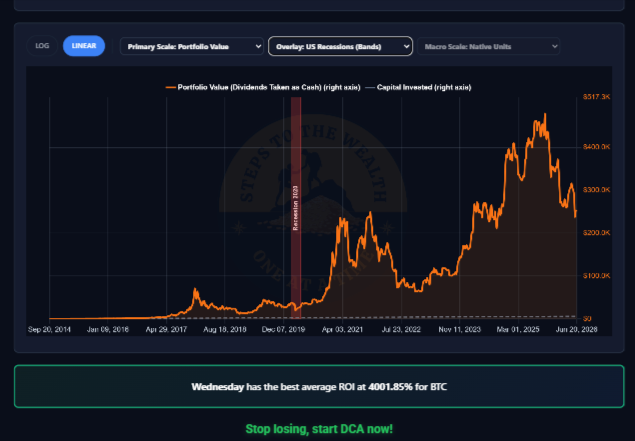
Which weekday historically gave the best average return for your asset.

Real-world modeling — numbers you can trust
DRIP, fees & taxes
Pro

DRIP, fees & taxes

Auto dividend reinvestment, trading fees, and STCG/LTCG tax-lot calculations.

Inflation & multi-currency
Pro

Inflation & multi-currency

Toggle real (inflation-adjusted) values and view results in your currency.

Full asset database
Free

Full asset database

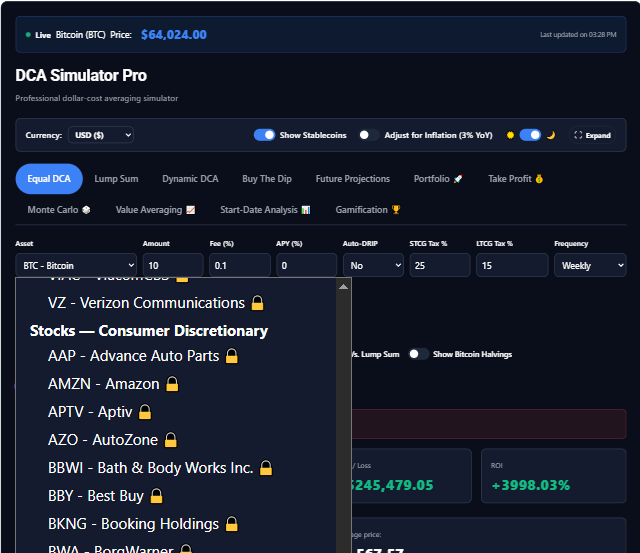
816 assets with real price history: 250 crypto on the free tier, plus 522 stocks and index funds and 44 commodities on Pro.

AI Optimize
Pro

AI Optimize

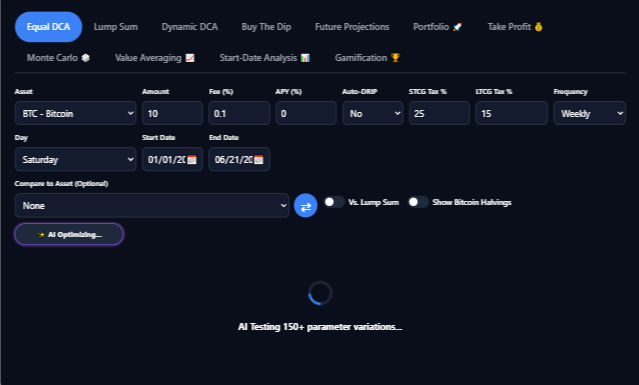
Let the simulator search for the parameters that would have worked best.

Engagement & sharing
Challenges and leaderboard
Free

Challenges & leaderboard

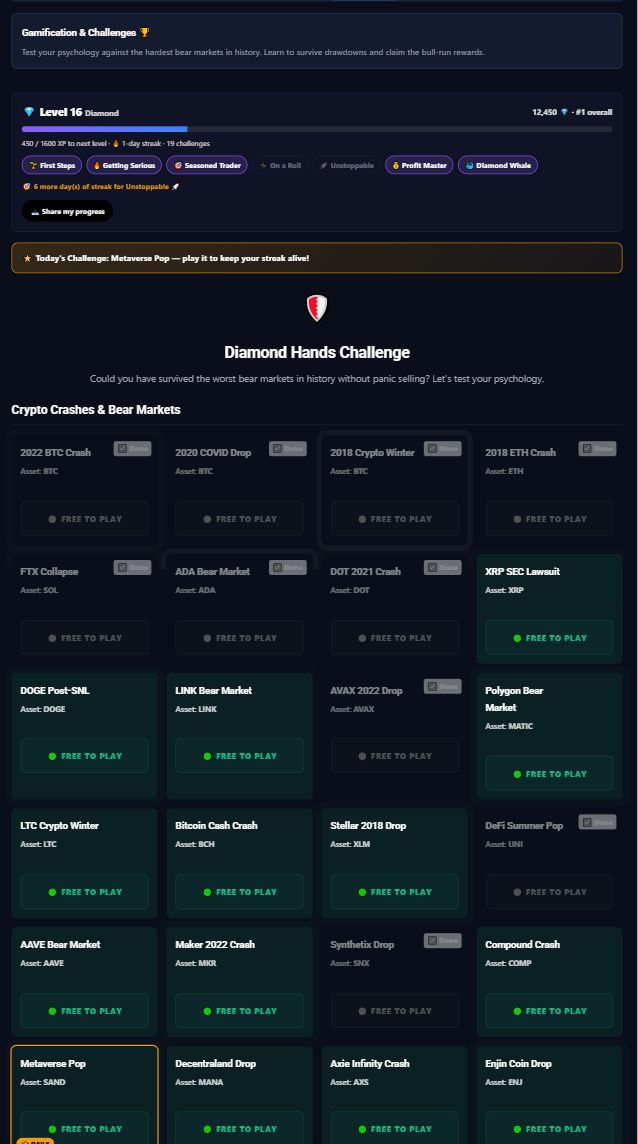
Survive history’s worst crashes as a game — levels, badges, streaks, leaderboard.

Investor Profile quiz
Free

Investor Profile quiz

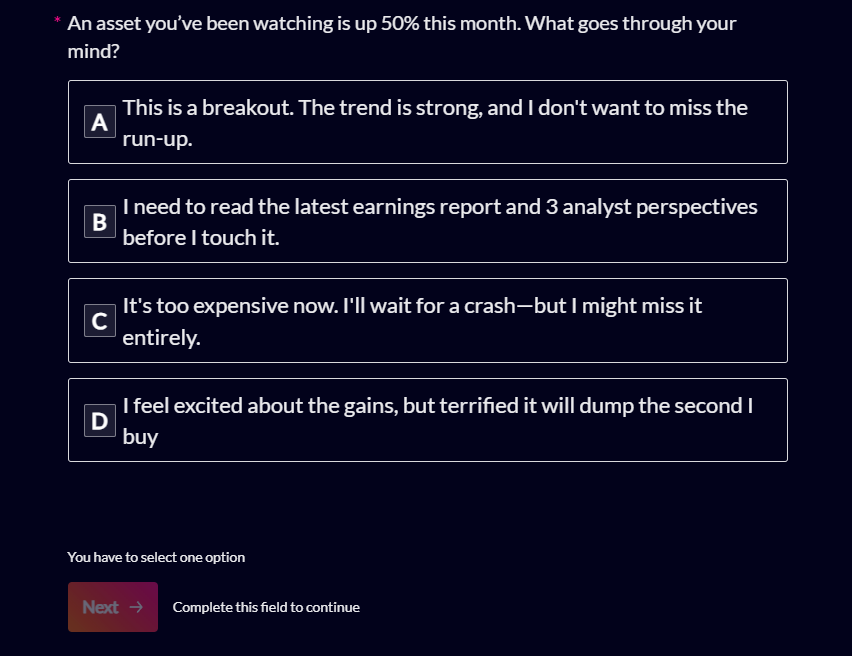
A 2-minute quiz that routes you to the strategy that fits how you actually behave.

Share & email results
Free

Share & email results

One-click share cards, emailed snapshots, and shareable links that reopen your run.

PDF / CSV & white-label
Pro

PDF / CSV & white-label

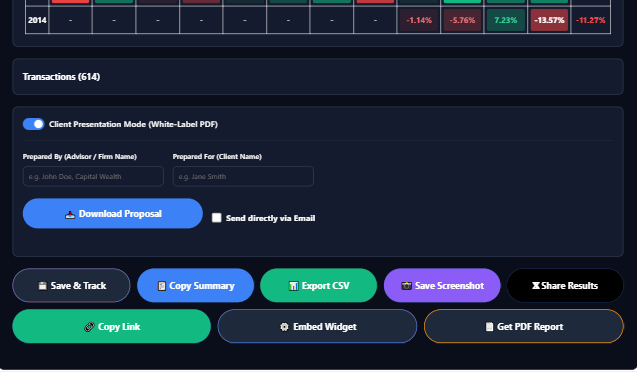
Export full reports and CSV data, or generate branded client PDFs.

06 — Who it's for

Built for busy professionals.

DCA Simulator Pro is built specifically for busy professionals — engineers, accountants, doctors, and operators — who want their money to work in the background without becoming full-time day traders.

Built · for

Yes, this is for you

  • Investors actively building positions who want to validate their process before committing larger capital.
  • Professionals who want a systematic way to test plans without spending hours managing fragile spreadsheets.
  • Newer investors who want to learn by comparing real historical outcomes instead of opinions.
Not · for

No, this is not for you

  • Day traders looking for intraday signals.
  • Anyone looking for asset recommendations or "what to buy."
  • Investors who have no interest in testing strategy and just want a one-click guaranteed outcome.

The simulator runs your plan. It does not replace judgment.

07 — The Pro tier

What unlocks at Pro.

Equal DCA is free forever. Everything below is what Pro adds — every engine, every scenario, every export.

Feature Free Pro
Equal DCA engine
Lump Sum comparison
Dynamic DCA
Buy-The-Dip / Conditional
Future Projections
10-Asset Portfolio Simulator
Take-Profit / DCA-Out
Historical crash scenarios
AI Optimize
Alerts on saved plans
Inflation toggle
Shareable results
Iframe embed
Priority support
08 — Pricing

Simple pricing. Pick your plan.

A fee-only planner charges $300–500/hr to stress-test one plan, once. This is the tool you keep — start free, upgrade when you want the advanced analytics.

Pro Monthly

Flexible — cancel anytime.
$9/ month
 
  • Everything in Free
  • Monte Carlo projections
  • Money-weighted return (XIRR)
  • Value Averaging & Start-Date Analysis
  • Daily/weekly frequencies, full asset database
  • DRIP, taxes, inflation, multi-currency
  • PDF / CSV export & screenshots
Most popular

Pro Annual

Best value for serious investors.
$90/ year
2 months free vs monthly
  • Everything in Pro Monthly
  • All future Pro features included
  • Saved scenarios & shareable links
  • Investor Profile insights
  • Priority support

Pro Lifetime

Pay once. Yours forever.
$249once
No recurring billing
  • Everything in Pro Annual
  • One payment, lifetime access
  • All future updates & datasets
  • Best for long-term DCA investors

Not ready to upgrade? Start free — basic DCA, the challenge game, and shareable results, no card required.

14-day refund on any paid plan. No form, no "why are you leaving?" flow. Educational tool — not financial advice.

09 — Common questions

The questions that come back every week.

If yours isn't here, email [email protected] — we read everything.

Q · 01Can't I just build this in a spreadsheet?+

For a single asset and flat monthly buys, yes. I did that for two years.

For multi-asset portfolios, conditional entries, exits, scenario testing, and repeatable comparisons, spreadsheets get messy fast. This tool exists to make that process faster, cleaner, and easier to trust.

Q · 02Is the data accurate?+

The simulator uses historical market data and shows the date range and source behind each run. No black box. No hidden smoothing. You can see what period is being tested.

Q · 03Will this tell me what to buy?+

No. That is intentional. The simulator helps you test a plan on assets you choose. It does not make asset recommendations.

Q · 04What if I'm a beginner?+

Start with the free version. Use the Equal DCA engine, learn the workflow, and upgrade only when you want deeper strategy testing.

Q · 05Do I need to install anything?+

No. It runs in your browser.

Q · 06Is this financial advice?+

No. DCA Simulator Pro is an educational tool. It runs hypothetical scenarios on historical data. It does not make recommendations, predict future results, or replace professional financial advice.

01 — What is free and what is Pro

The line between free and DCA Simulator Pro, stated in numbers.

The free simulator is a real tool, not a demo, and it is worth being exact about where it stops, so that nobody buys DCA Simulator Pro for something they already had.

Step one

Free: 250 crypto assets

The free tier covers 250 crypto assets against real daily closing prices. Every stock, index fund and commodity in the database sits behind DCA Simulator Pro. That is a deliberate line, and it is stated here rather than discovered by clicking a locked control.

Step two

Free: three engines

Equal DCA, Lump Sum and Dynamic DCA, none of which needs DCA Simulator Pro. That is enough to test a fixed plan, draw the lump-sum counterfactual beside it, and see whether buying more into weakness would have helped on your window.

Step three

Free: 200 crash challenges

Two hundred of the 293 historical crash challenges, with levels, badges and the leaderboard. The remaining 93 belong to DCA Simulator Pro.

Step four

Pro: 816 assets, ten engines

DCA Simulator Pro opens all 816 assets — 250 crypto, 522 stocks and index funds, 44 commodities — and adds seven engines: Buy the Dip, Future Projections, the 10-asset Portfolio, Take Profit, Monte Carlo, Value Averaging and Start-Date Analysis.

The arithmetic of the three plans

DCA Simulator Pro is priced three ways. Monthly is $9. Annual is $90, which is twelve months for the price of ten. Lifetime is $249 once, which is the annual price paid two years and nine months in a row and then never again. Every paid plan carries a 14-day refund with no form to fill in, because a tool you stop opening is a tool that stopped earning its money.

The honest comparison is not against a spreadsheet, which handles one asset and flat monthly buys perfectly well. It is against the question you cannot answer in one: how did this plan do from every start date, across ten assets, with the exits and the taxes in. That is what DCA Simulator Pro is for, and if you are not asking that question yet, the free tier is the right tool and this page will not argue.
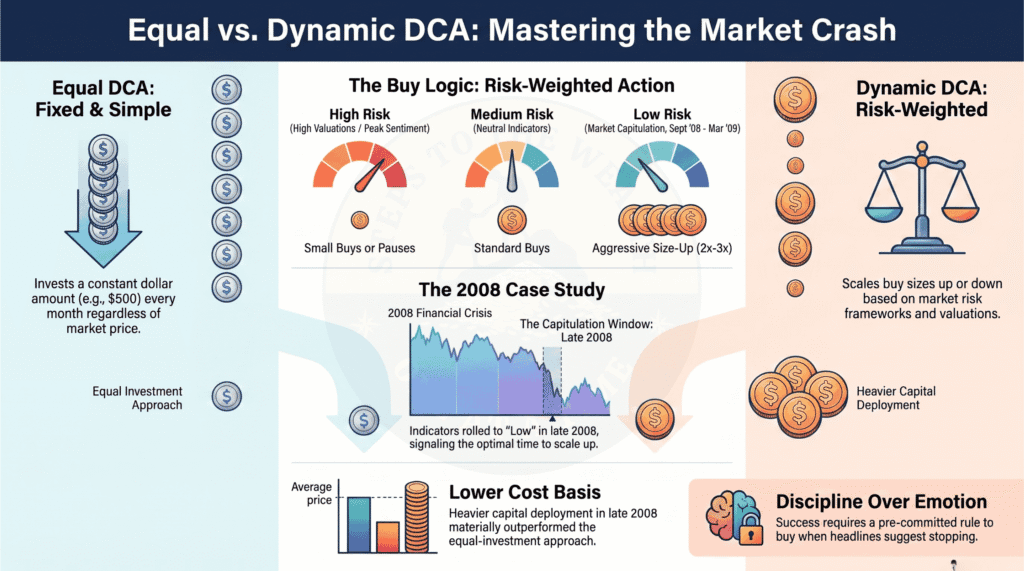
Equal versus dynamic DCA through the 2008 financial crisis, the comparison DCA Simulator Pro runs on any window
Equal DCA against Dynamic DCA through 2008. Both engines are free; DCA Simulator Pro is what runs the same comparison on 816 assets and every other engine.

02 — What the Pro engines answer

Seven engines, seven questions the free simulator cannot ask.

Each Pro engine exists because a specific question kept coming back and could not be answered with a fixed buy on a fixed schedule. Here is the question behind each one.

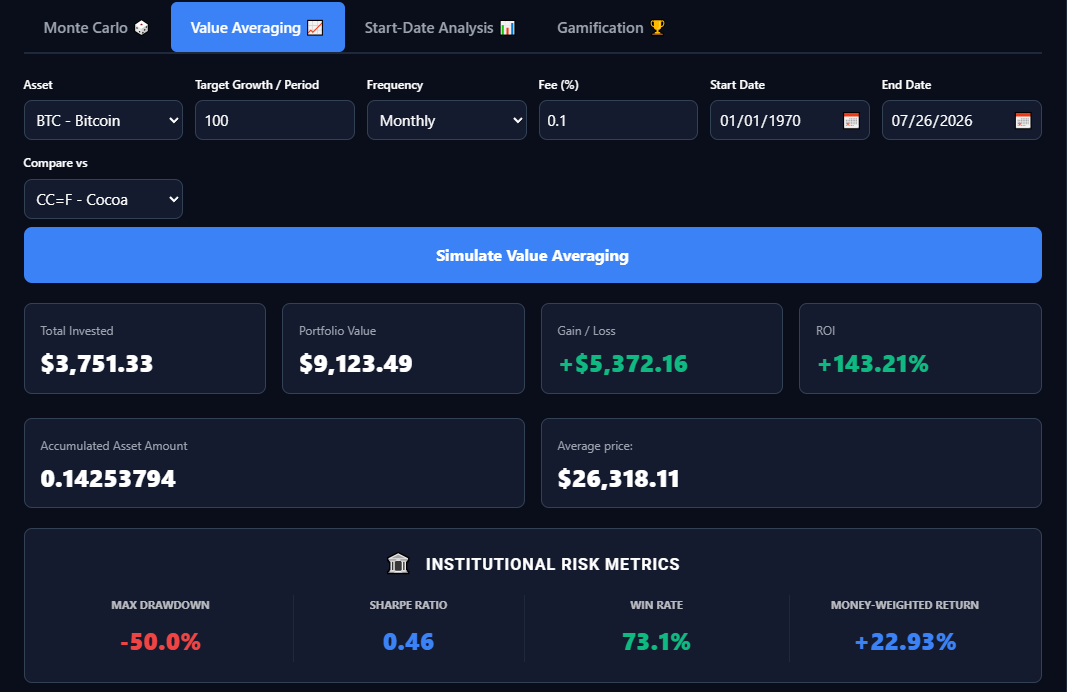
Start-Date Analysis replays your plan from every historical month and reports how often it still came out ahead. It is the engine that turns one backtest — one draw — into a distribution, and it is the reason a single flattering window stops being persuasive once you have DCA Simulator Pro.

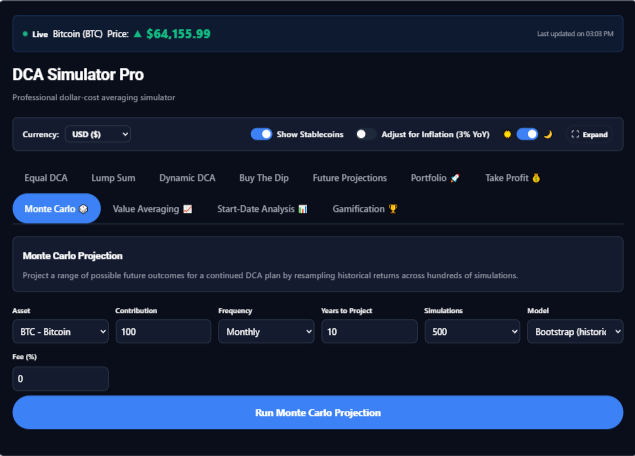
Monte Carlo runs hundreds of simulated futures from the historical return distribution and reports the median, the range and the odds of beating your contributions. It is a stress test, not a forecast, and DCA Simulator Pro labels it as one; how to backtest a DCA plan explains where it sits among the three layers of testing.

Buy the Dip deploys only on drawdowns past your threshold and parks the rest. Value Averaging targets a growing portfolio value instead of a fixed contribution. Take Profit adds sell-half rules and scheduled extraction so the discipline works on the way up as well as the way down. Each is a plan people run in their heads and rarely test, and each is an engine in DCA Simulator Pro.

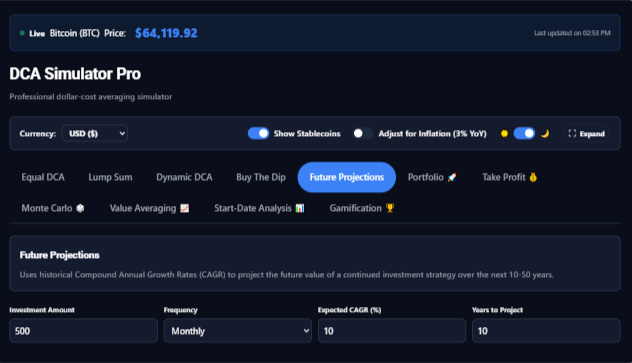
The 10-asset Portfolio models a whole allocation with weights and rebalancing, up to ten assets, which is the engine that answers whether a weighting would have held through 2022. Future Projections carries a continued plan forward at a stated growth rate over ten to fifty years, labelled as an assumption rather than a prediction.

Underneath all seven, DCA Simulator Pro adds the real-world layer: money-weighted return (XIRR), dividend reinvestment, trading fees, tax-lot calculations, an inflation toggle and multi-currency, so the number on screen is closer to the number that would have landed in an account. Daily closes come from Yahoo Finance for listed assets and CryptoCompare for crypto history.

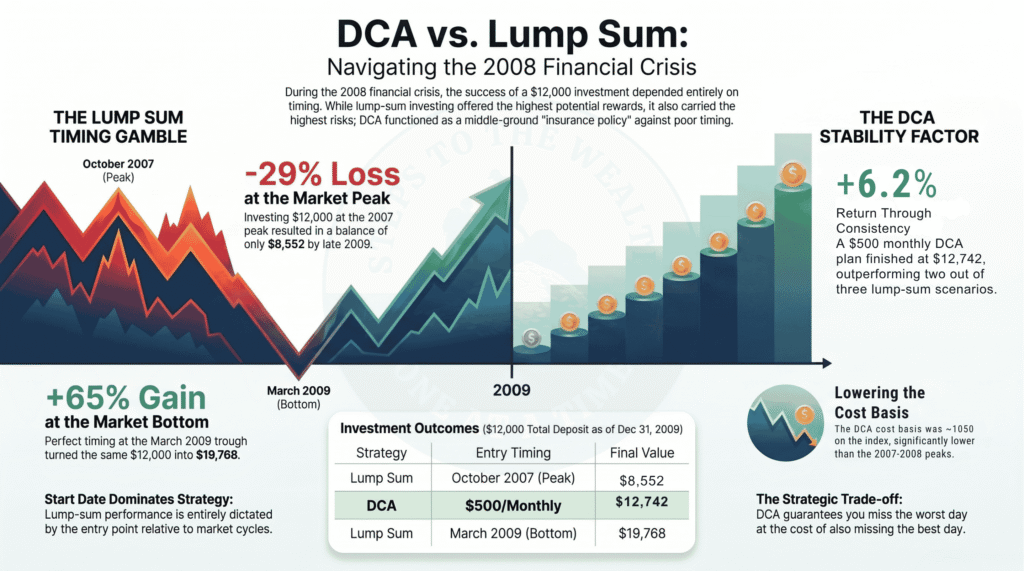
DCA versus lump sum through the 2008 financial crisis, the counterfactual DCA Simulator Pro draws beside every plan
DCA against a lump sum through 2008: the counterfactual every run draws beside the plan.

03 — What it still will not do

DCA Simulator Pro runs your plan. It does not replace judgment.

More engines and more assets do not make DCA Simulator Pro a crystal ball. The limits below apply to every tier, and paying does not lift them.

What it does

  • It replays recorded prices. Every result is what a plan would have done over a window that already happened, and DCA Simulator Pro labels projections as assumptions rather than forecasts.
  • It draws the counterfactual. In DCA Simulator Pro the lump-sum line sits beside every plan, on every tier, because a result with nothing to compare it to is not a result — lump sum vs DCA is the argument in full.
  • It shows the working. In DCA Simulator Pro the date range, the source and every parameter are on screen for every run, and each figure on the free simulator page can be reproduced in a spreadsheet.
  • It refunds. Fourteen days on every paid DCA Simulator Pro plan, no form and no exit interview.

What it does not do

  • It does not tell you what to buy. DCA Simulator Pro has no opinion about any asset; it prices the plan you describe and stops.
  • It does not forecast. In DCA Simulator Pro, Monte Carlo and Future Projections are labelled assumptions, and a strategy that only works at the optimistic setting was never a strategy.
  • It does not make a single window meaningful, even in DCA Simulator Pro. Run the year before and the year after; if the conclusion moves, the conclusion was about the dates, and Start-Date Analysis exists to say so.
  • It is not financial advice. DCA Simulator Pro is an educational tool that runs hypothetical scenarios on historical data. Educational content only — not financial advice.
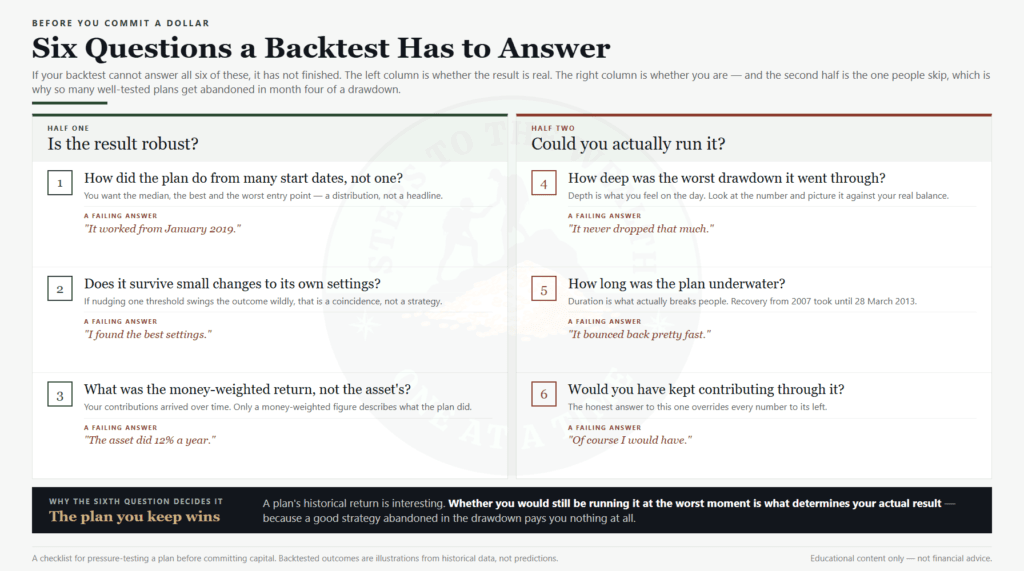
A six-question backtesting checklist: whether a result is robust and whether you would have held, the standard DCA Simulator Pro is built to
The six questions a backtest has to answer before it means anything. DCA Simulator Pro exists to make the last three answerable.